About This Project!
Tugoboat Terror is one of my freshman year game projects. It is a frantic task-management game that tests your tugboat skills until the very end! This project was made entirely in C by a team of 5 freshman students, all in a custom engine. Have fun tugboating!
My Role in this Project
For Tugboat Terror, almost everyone was a wildcard. That is to say, almost no one had dedicated roles. However, we did find ourselves falling into undesignated roles by the end of the project. Some of the most notable things I worked on were the UI, controller support, tutorialization, and text rendering for the game. Below are some code samples of those things, as well as what problems they were solving:
_edited.jpg)
.png)
I created a memory manager for all text and textboxes that are created during the game. The manager creates and frees memory, as well as rendering the text objects
Memory management is very important when working with a custom engine, so properly freeing and allocating memory for any entity we created was crucial to keeping the game performant and devoid of any memory leaks or other related issues
The manager ensures there are never too many text objects on the screen at once by checking against the assigned MAX_OBJECTS variable.
The manager identifies any text entities with the identifier "Button", and does not add them to its own list of active entities, since buttons handle their own memory, which includes the text embedded on them.

The SpriteSetText function allows the user to create text using a text sprite sheet. This will create a simple line of text that can be displayed on screen.
We had lots of instances where we needed text entities to be centered on the screen. So, the function also grabs the player's monitor size and uses an algorithm to determine how much screen space the text will take up to ensure it's accurately centered, and sets its scale so it will definitely fit on screen.
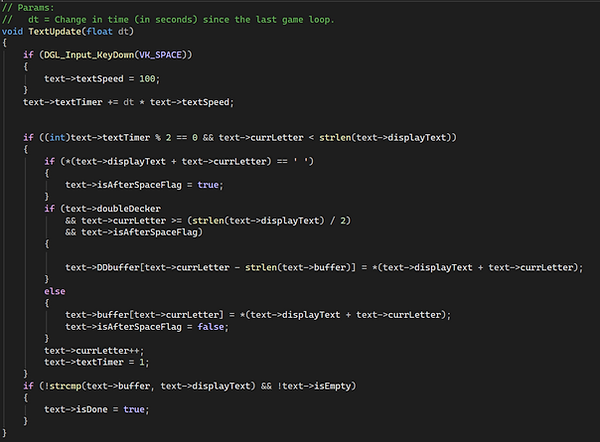
The TextUpdate function is used to create a special typewriter effect on displayed text. Each letter is revealed over time to give the effect that the character whose textbox this is in is talking.
In the function, a timer is being incremented by the "textSpeed" value (which can be set to 100 by pressing space to make the dialogue go by faster). Every time the timer is divisible by 2, another letter is added to the text buffer and is displayed.
The "isAfterSpace" flag is used to determine when to start typing the text on the next line if the text is marked as "double-decker" (Which I will explain next). When wrapping text, we had trouble with words being cut off in the middle and continuing onto the next line instead. So, the flag ensures that switching to the next line always occurs after a space, so words are not split in half.
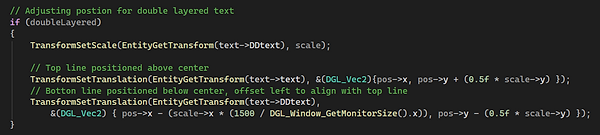
This code is for "double-decker" text. It simply combines two lines of text into a top and bottom portion of a single text entity. This was in response to text that was too long to fit a whole screen or the entire textbox, so we had to wrap to a new line.
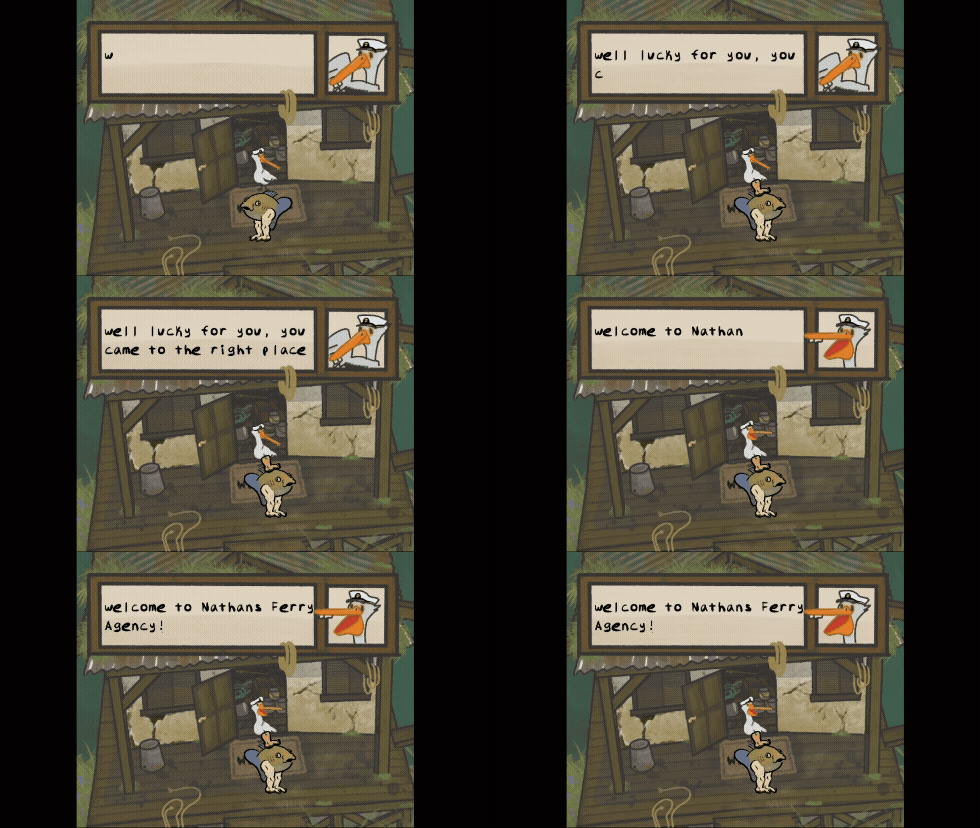
All of those special text rendering tricks came together to allow us to create textboxes like this: